Digital Workspace

HomeDigital Workspace

Digital Workspace 

Life line of Airport Agents

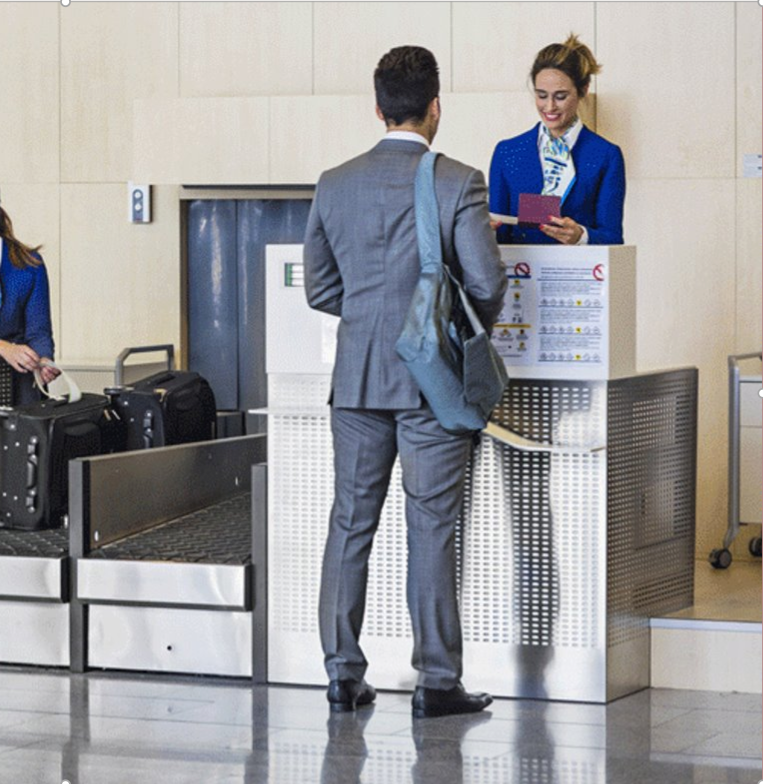
Responsive application that helps Airport Agents and Call Center Agents in Flight Check-In, Airline Ticket Reservation, Exchange and Refund of Tickets.

Digital Workspace enables call center, airport, and back-office staff to support four areas: Reservations, Check-In, Gates/Boarding, and Airport Operations. Sabre is redesigning the existing Interact product to create a more modern and user-friendly experience. Interact is currently used by over 60 airline carriers.

A second component of Digital Workspace is Mobile Concierge, a phone/tablet based product that supports Check-in and Gates/Boarding workflows. Mobile Concierge is currently being used by Virgin Australia.
My Role

I worked as a Team Member and also led the project 

with 4 Designers, 1 Researcher and 1 UI Developer

At one point of time,  project was very chaotic and I straightened several things

CLEAR PROCESS

One of the first task which I did was to combine the project into a single Axure file and move it to the Axure Cloud and all started using it as a shared project. Now Development team had a single URL http://bit.ly/interact01 to see interactive prototype [URL is still active and you can see old designs here]. I helped in creating a clear process of checking in and out files between the designers so that all of us work simultaneously on same project.

DESIGN PATTERNS

I started incorporating the Sabre’s Design language elements in our designs and worked on Information Architecture and several design patterns and developed a prototype script with data set which is used by all Designers to create screens.

BA UX SIGN OFF PROCESS

Worked very closely with BA's and helped them earlier to write down the user stories and capture UI requirements and also established the BA/UX Sign Off process. In this process BA approves the story, so I worked with BA and we both used to accept or reject the stories or create new stories based on the missing things or bugs

CONSISTENCY

I took the initiative and started the consistency discussion and start finding the common patterns in the application. Solved several common patterns and consistency issues working with the design team and started communicating to rest of designers.

WORKING WITH DEV TEAM

I took the initiative to setup the meetings to start reviewing the developed site as a team and provide feedback to Development teams.

REQUIREMENTS

Also created the shared OneNote note book in SharePoint to have all requirements and common information at a single place. I like things organized

DESIGN STRATEGY

Participated and facilitated various workshops and Design Strategy sessions with various team members like Marketing/BA/Dev conducted for the project.

PROJECT STATISTICS

0
HOURS OF WORK
0
SCREENS
0
PRODUCT MANAGERS
0
DESIGNERS

Design Approval Process

DW Designers are spread all over the world in different continents and timezones and it is a challenge to keep everyone updated on ground situation and also to have a smooth Design approval process. We created following design process.

Internal Designer Review - InVision Board 1

  • All designs being reviewed for usability, consistency, accessibility and Sabre's Design language.
  • Lead Designer 1 to review for all interactions, functionality, & information architecture to reach more logical and contextual solutions throughout the application.
  • Lead Designer 2 to review for consistency, Sabre's Design language, & accessibility standards to reach a higher standard of quality and within the expression of the Sabre's Design language.

Work In Progress Designs - InVision Board 2

  • Latest designs submitted through Team/PO Review, Consistency, and Usability; not yet approved by Marketing.
  • The purpose of this board is to share with development so we don’t become a blocker.
  • Post one or two screens that represent the latest design direction, link to flow in Axure or InVision.

Final Designs - InVision Board 3

Once a design has been approved by Marketing Team, we move it to this board and we party.

Here's Some of the Recent Work from Project

Bags Feature

Workflow, Wireframes, Concepts and Visual Designs

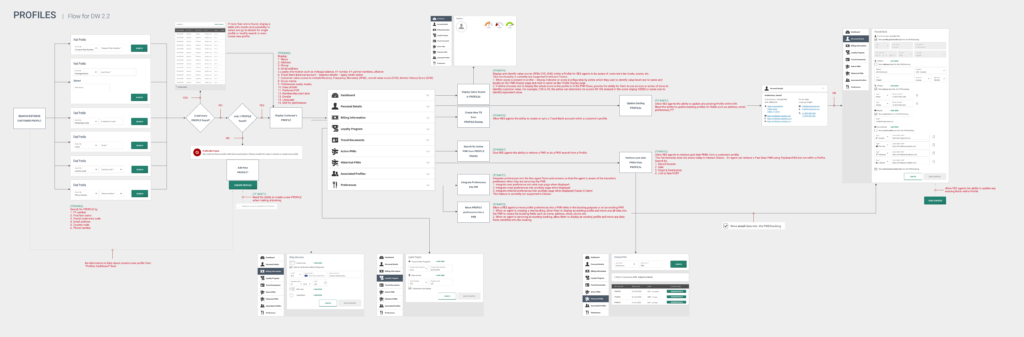
USER PROFILE Feature

Usecases, Workflow, Storyboard, Sketches, Wireframes, Concepts and Visual Designs

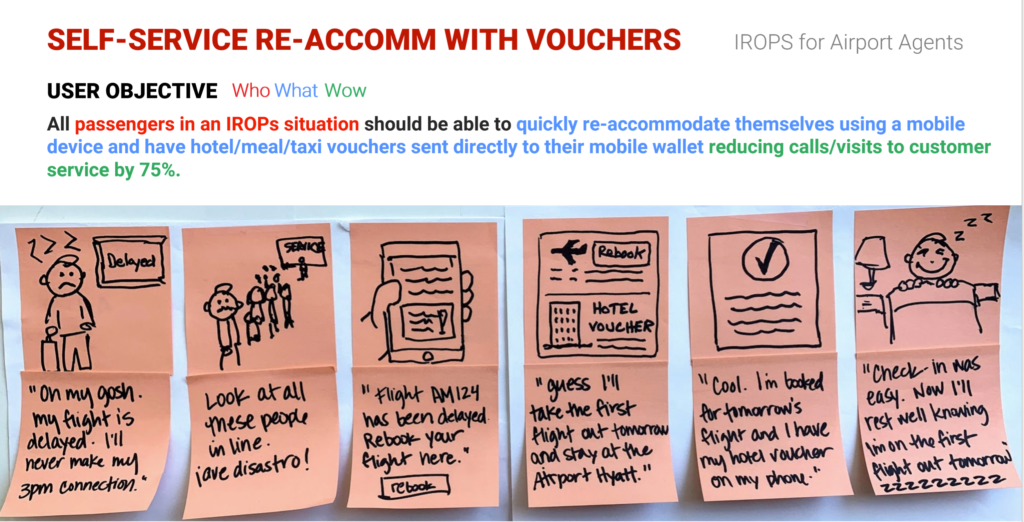
Virtual Vouchers Feature

Storyboard, Concepts, Sketches and Visual Design

Code Comparison

Screenshot on Left is Developed Code and Screenshot on Right is Actual Design. (May 2018).

We used InVision to convey our comments to Dev and Business .

Usability Testing

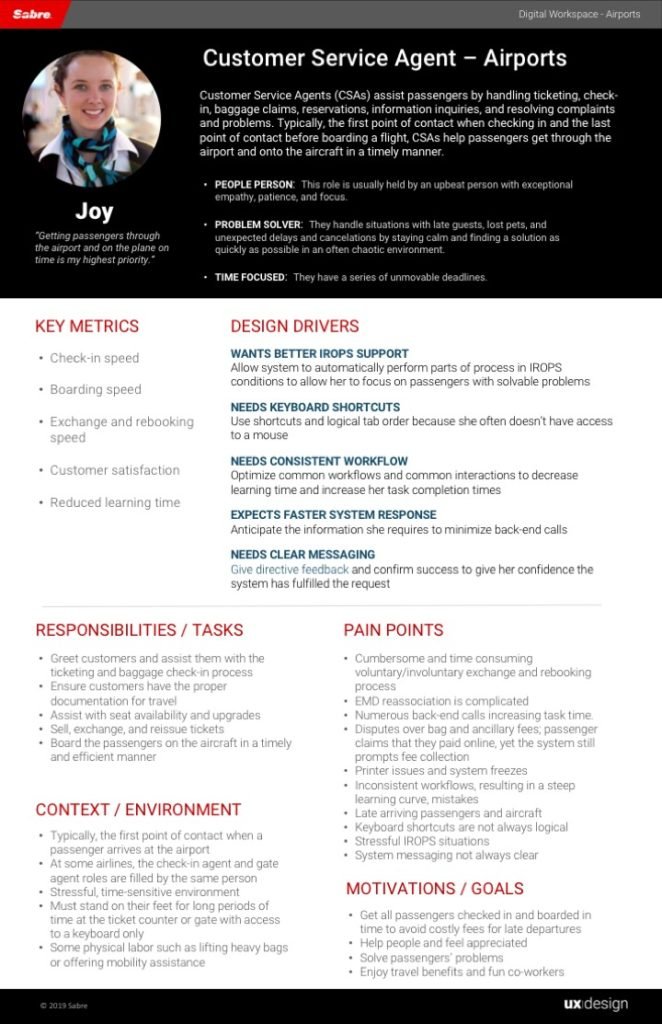
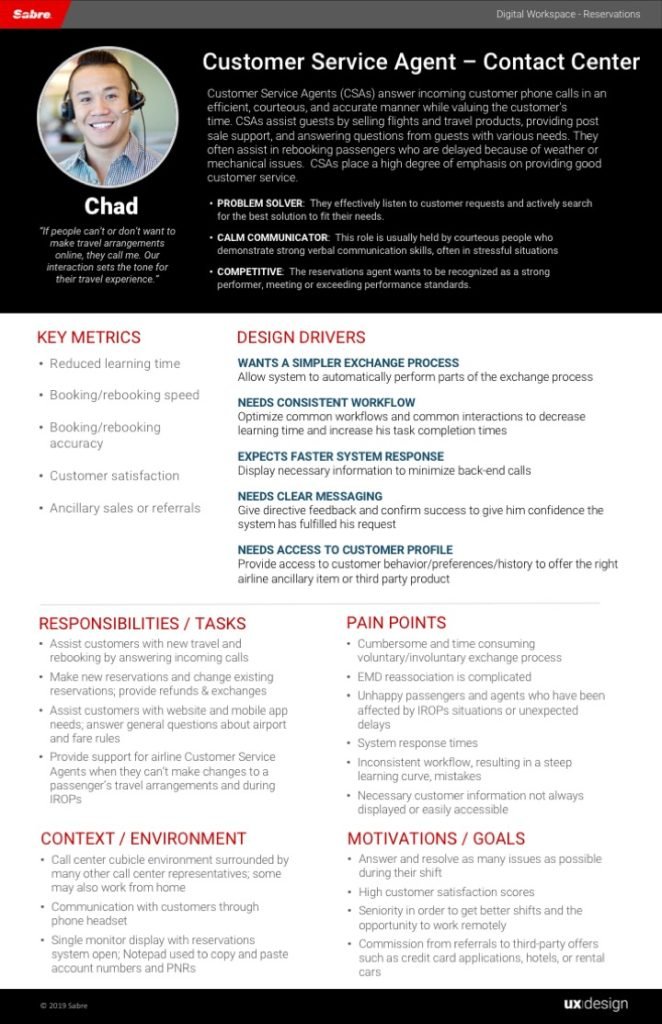
Personas

image
https://rashid5777.com/wp-content/themes/hazel/
https://rashid5777.com/
#d8d8d8
style1
paged
Loading posts...
/home/u382562985/domains/rashid5777.com/public_html/
#
on
none
loading
#
Sort Gallery
on
yes
yes
on
off
off